Restaurant POS system Every device in your venue, on one system.
The register, the waiter tablet, the kitchen screens, your phone and the web portal all run on the same menu, the same tables and the same guest record. Change a price once and it’s right everywhere.
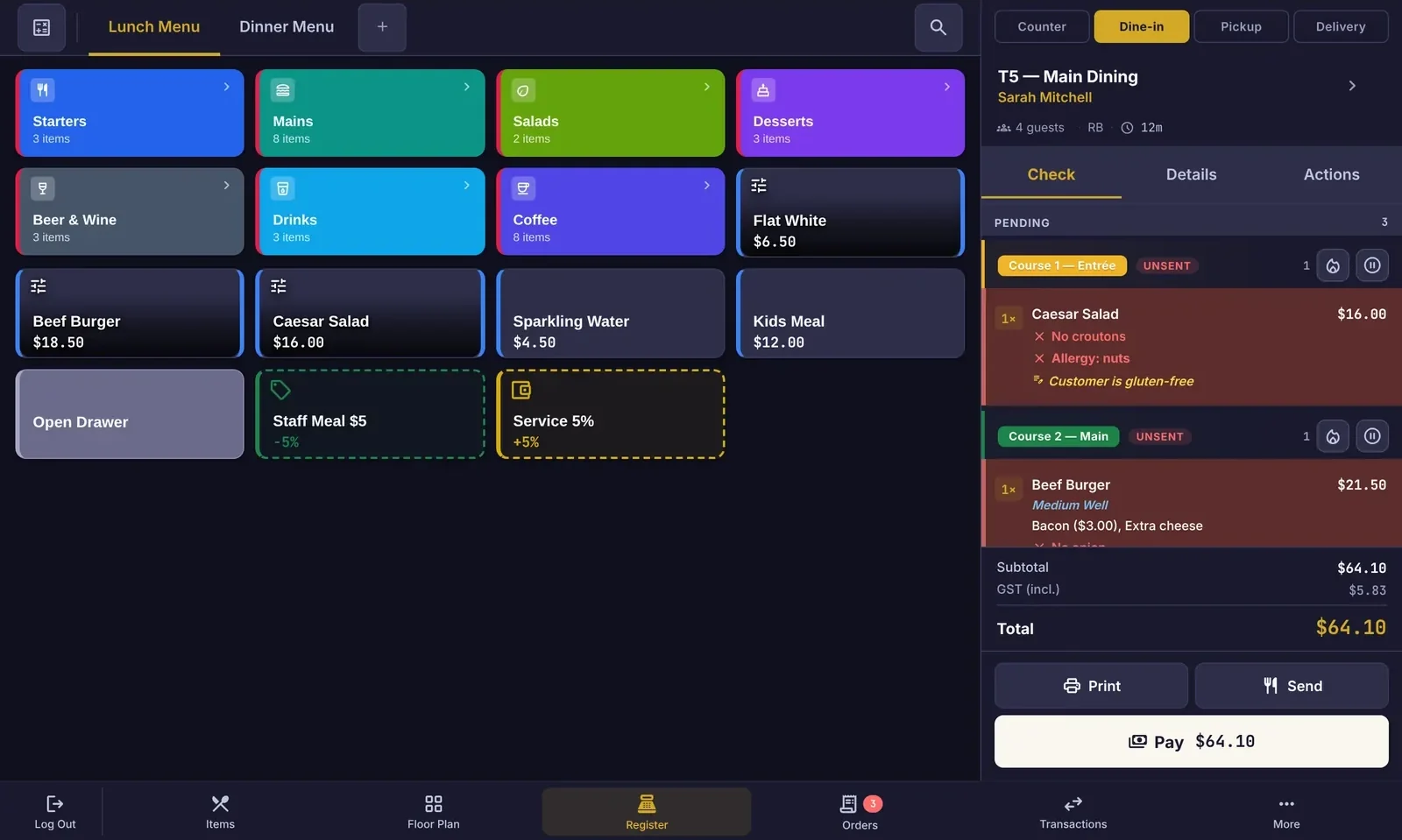
A register your team learns in one shift.
Big colour-coded tiles, the check always on the right, and the actions your team needs one tap away. Built on Android with Material Design, so it feels familiar from the first touch.
- Menus by service period, with categories, sub-categories, variants and modifier groups
- Counter, dine-in, pickup and delivery from the same screen
- Allergy and cooking notes that follow the item to the kitchen
- Open drawer, staff meals, discounts and service charges as tiles
- Optional customer display shows the order and tip options
Take it to the table.
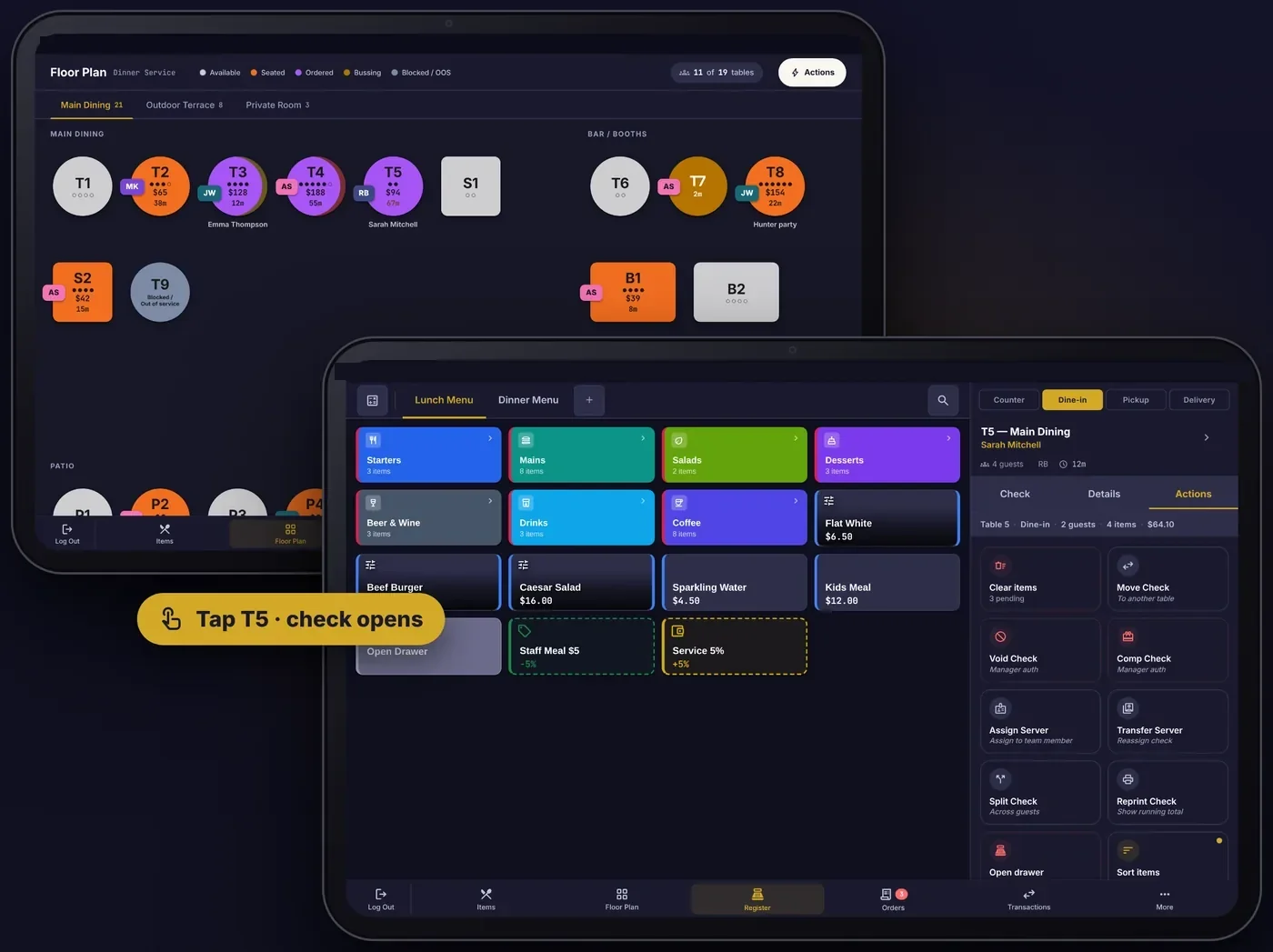
The waiter tablet is the same APOS app turned to landscape. Tap a table on the floor plan and the check opens, ready for the next round.
- Orders by seat and by course, with hold and fire
- Move, merge, split and transfer checks between tables and servers
- Take payment at the table, then free the table in one tap
- Rugged 10" tablets with a protective case, or your own Android tablet
Every station sees only its own tickets.
Stations decide where each item goes: a kitchen display, a printer or both. Your pizza oven, cold section, bar and pass each get exactly what they make.
- Route by category, override by item, filter by order type and source
- Allergies flagged in red from the order to the pass
- Course timers, late-ticket alerts, bump, recall and all-day counts
- Ticket stubs, void tickets and barcode labels as separate station roles
- 10.1" and 15.6" IP54 screens, bright enough for a hot line
- Course 1 · Entrée
- 1× Caesar SaladNo croutonsALLERGY: NUTS
- Course 2 · Held
- 1× Beef BurgerMedium well · Bacon · Extra cheese
- 2× Flat Iron Steak1 rare, 1 medium
- 1× Fries
- 1× Kids Meal
- 1× Banh MiNo chilli
- 2× Spring Rolls
Tickets turn red once they pass the overdue time you set for each station. Colour tickets by course if your kitchen likes it.
Your venue, in your pocket.
The owner app shows how today is tracking and tells you when something needs you, so you can step away from the pass without losing the thread.
- Live sales, covers and average spend against the same day last week
- Alerts for voids, large discounts, cash variances and offline devices
- Tonight’s bookings, VIP arrivals and guest feedback
- Switch between places if you run more than one
T8 · $64.00 by Jess · 8:31 pm
Hunter party, 6 guests · 8:45 pm
Manage everything from the web.
APOS Portal is where owners and managers set up menus, prices, floor plans, team, devices and reports, for one place or many.
- Menu manager with bulk edit, deals, catering menus and POS layout
- Roles and permissions for owners, managers, bookkeepers and staff, scoped to each place
- Printer & KDS stations, device codes and device health
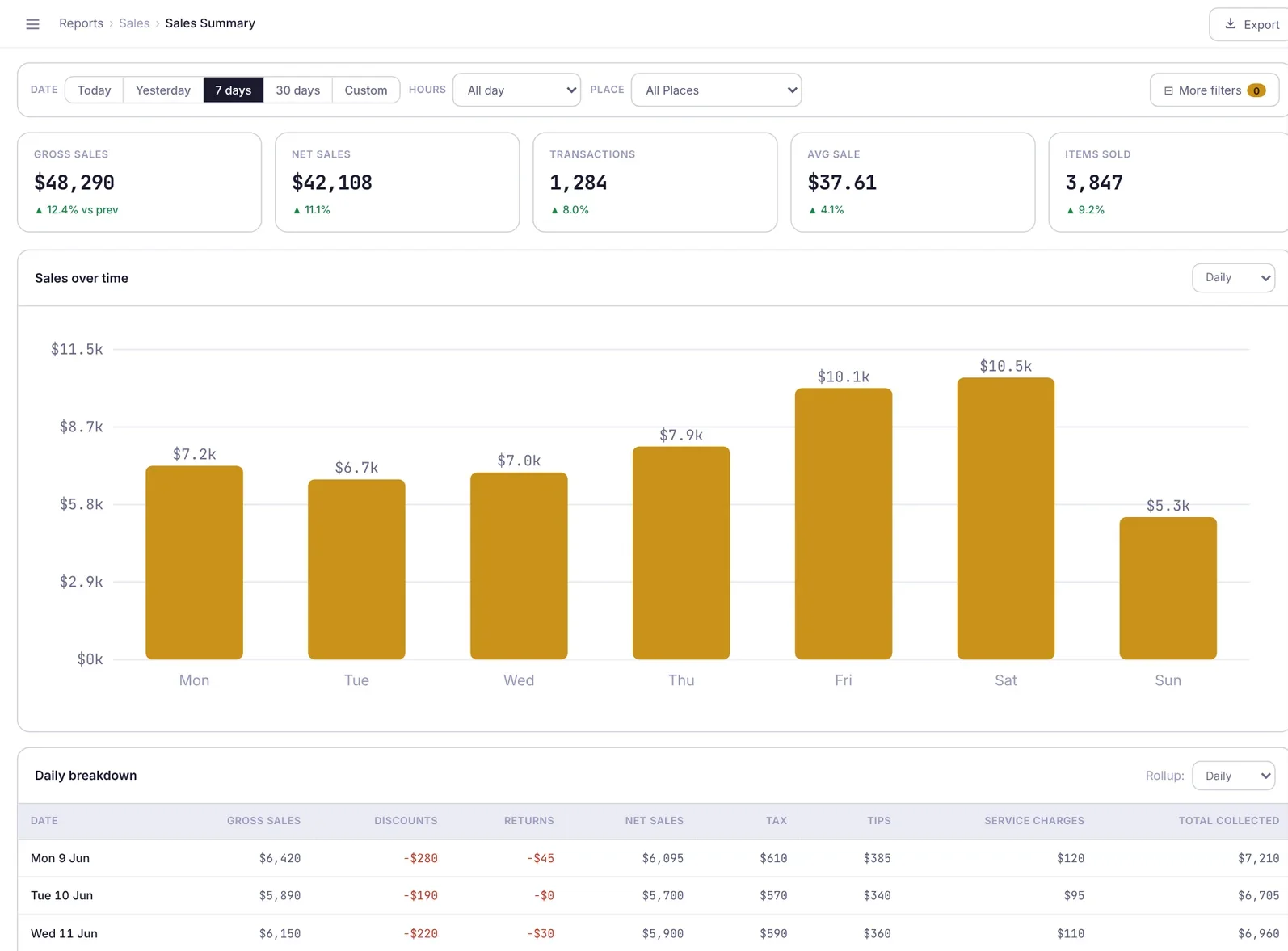
- Reports for sales, items, payments, tips, discounts, cash drawers and speed of service
Built for the details of service.
What hospitality teams asked for, in one place.
Ordering
- Modifier groups, variants and add-ons
- Courses with hold and fire
- Seat numbers on every item
- Open items and price overrides with permission
- Deals, discounts and staff meals
Floor & tables
- Rooms, terraces and private spaces
- Live status: seated, ordered, bussing, blocked
- Spend, covers and time on every table
- Move, merge and transfer
- Server sections and assignments
Kitchen
- Printer & KDS stations with routing rules
- Category routing with item overrides
- Kitchen tickets, stubs, void tickets, labels
- Ticket layout by seat or by item
- Kitchen performance report
Orders & channels
- Dine-in, counter, pickup and delivery
- QR table ordering and online orders
- Bar tabs
- Due times, payment status and source on every order
- Marketplace orders alongside your own
Payments
- APOS Payments built in
- Split by seat, item or evenly
- Tips, service charges and holiday surcharges
- Cash management and drawer counts
- Refunds, comps and voids with manager approval
Team & access
- Personal PINs on the register
- Roles: Owner, Admin, Manager, Bookkeeper and more
- Sensitive fields hidden by default
- Protected actions need approval
- Activity log for every change
Your devices talk to each other, not just to the cloud.
APOS links every device in the venue over your local network. The cloud is where your data lives, but service doesn’t wait for it.
- Hub and standby. One register relays orders. If it goes offline, the standby takes over within seconds.
- Offline payments. Cash keeps trading through an outage. Switch on offline card payments with a per-order limit (default $500) and they queue on the device, then sync in order when the internet returns.
- Encrypted on the device. Local data is stored in an encrypted database on each tablet.
Works with the tools you already use.
We’re building direct connections to the services Australian venues rely on, so sales, wages and marketing lists don’t need re-keying.
Availability is confirmed during onboarding. Tell us what you use and we’ll prioritise it.
Accounting
Daily sales, GST and payouts to Xero.
Rostering
Sales against labour from Deputy.
Delivery marketplaces
Uber Eats and DoorDash orders in your APOS queue.
Email tools
Sync tagged guests to Mailchimp audiences.
Run your whole venue from one place.
Start with APOS today, or let’s walk through your venue together. We help you bring your menu across, enrol your devices and train your team.